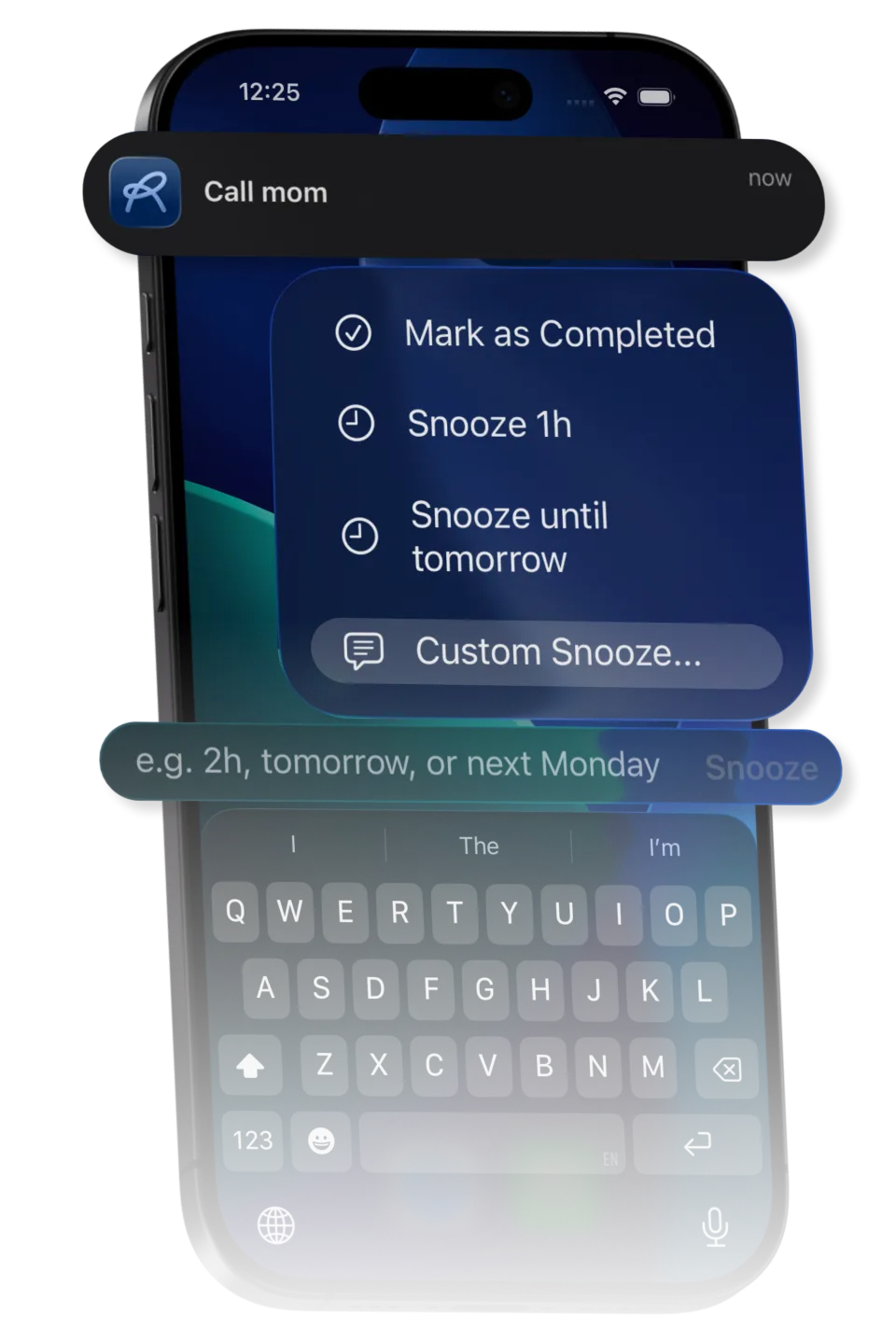
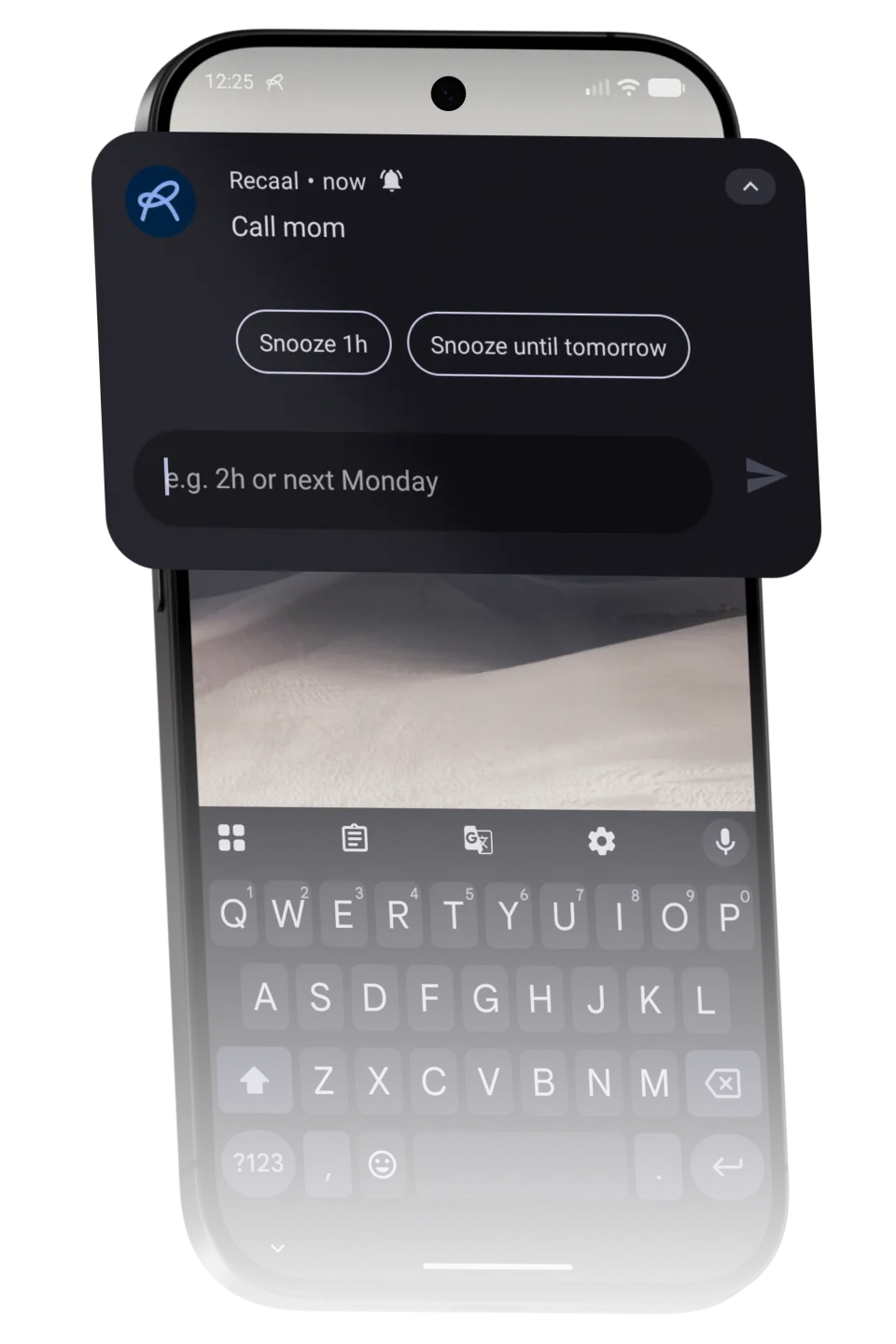
Right from the notification. No need to open the app.
You type
It comes back
20in 30 min1h 30min an hour
Minutes or hours from now
at 3pmnooneodtonight
Later today
tmrwtomorrow morningtomorrow at noon
Tomorrow
frinext mondaythursday morning
On that day
day after tomorrownext week2w1mo
Days, weeks or a month out
Recaal+
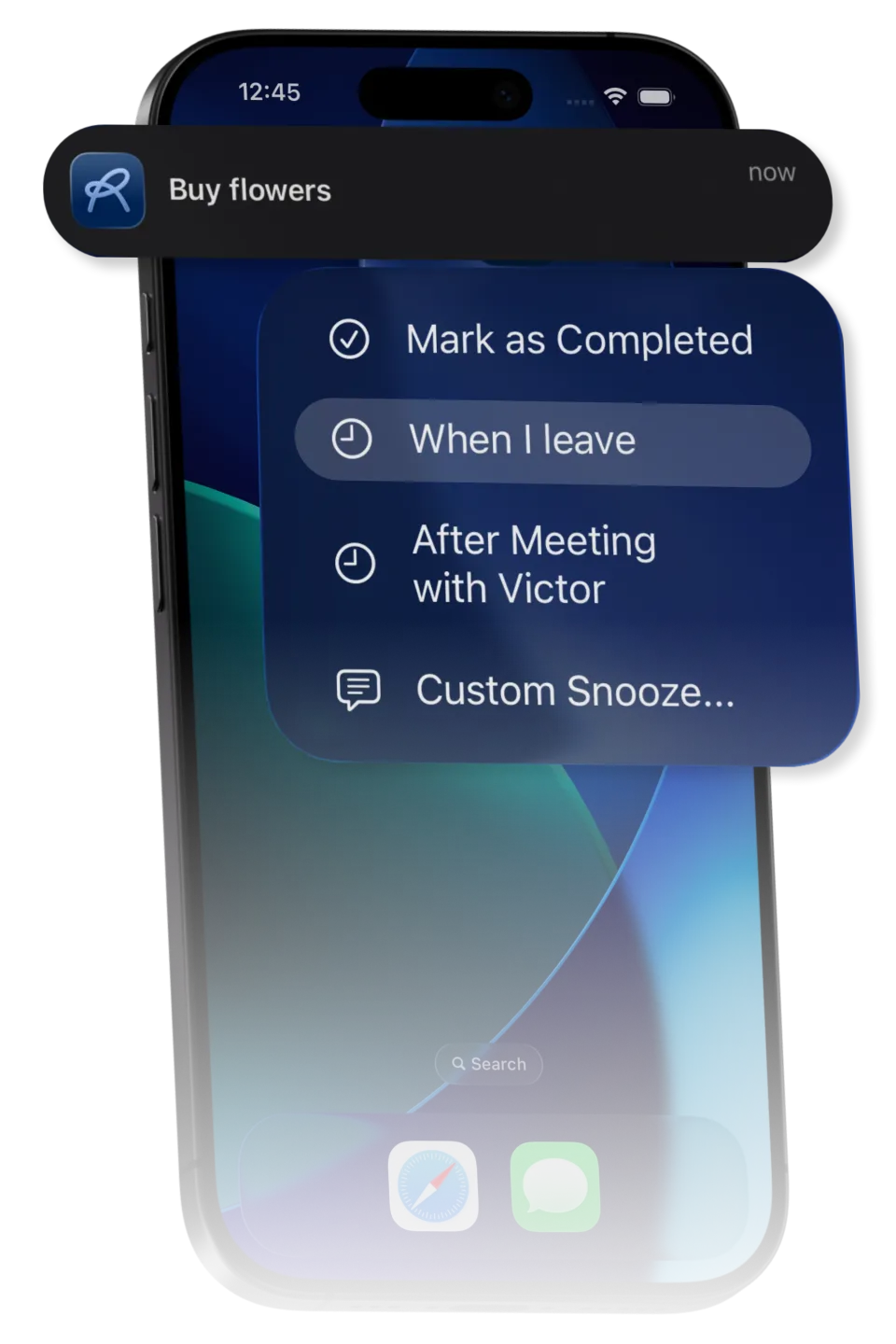
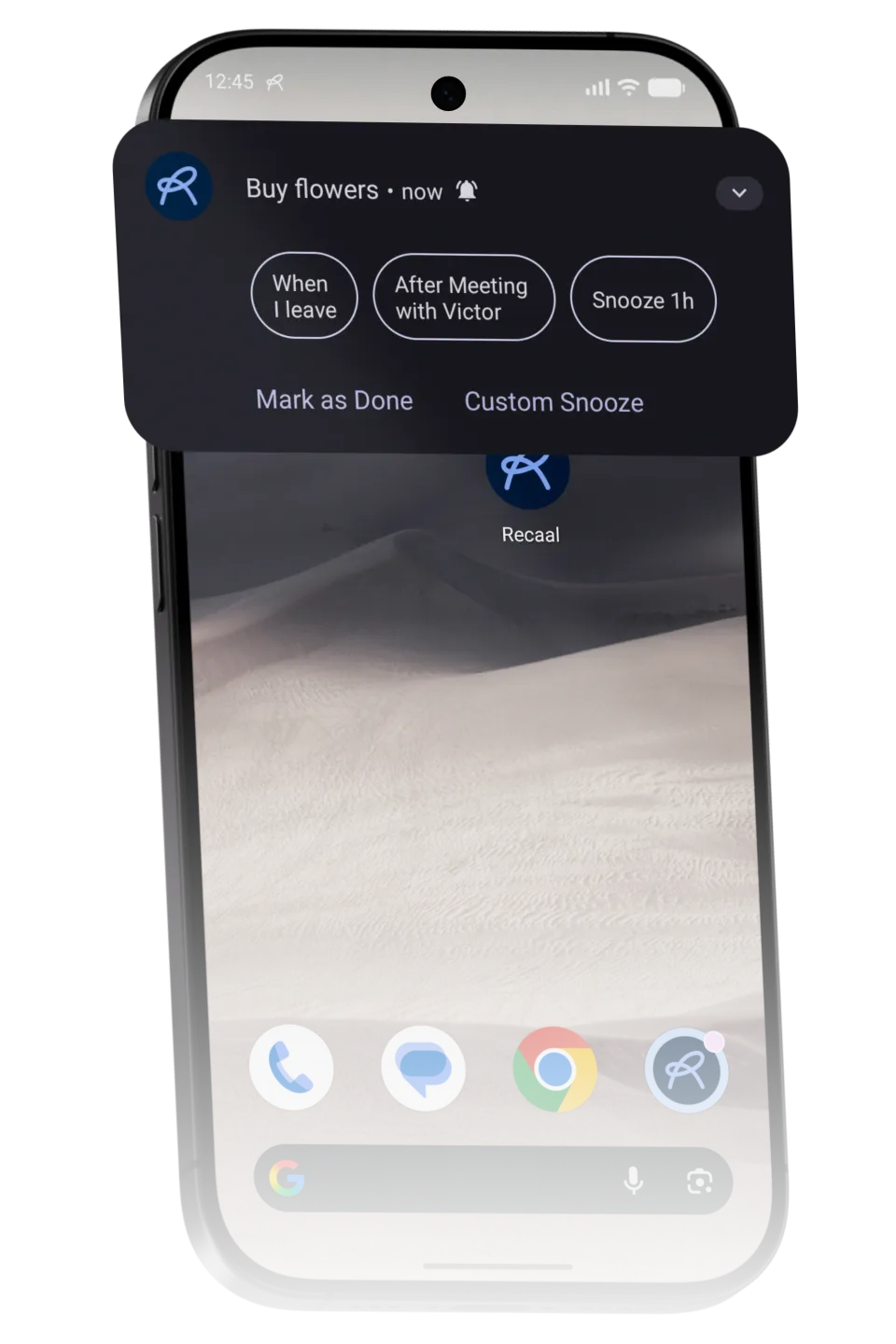
Context-aware snooze
Snooze until your current calendar event ends, or until you leave where you are now.
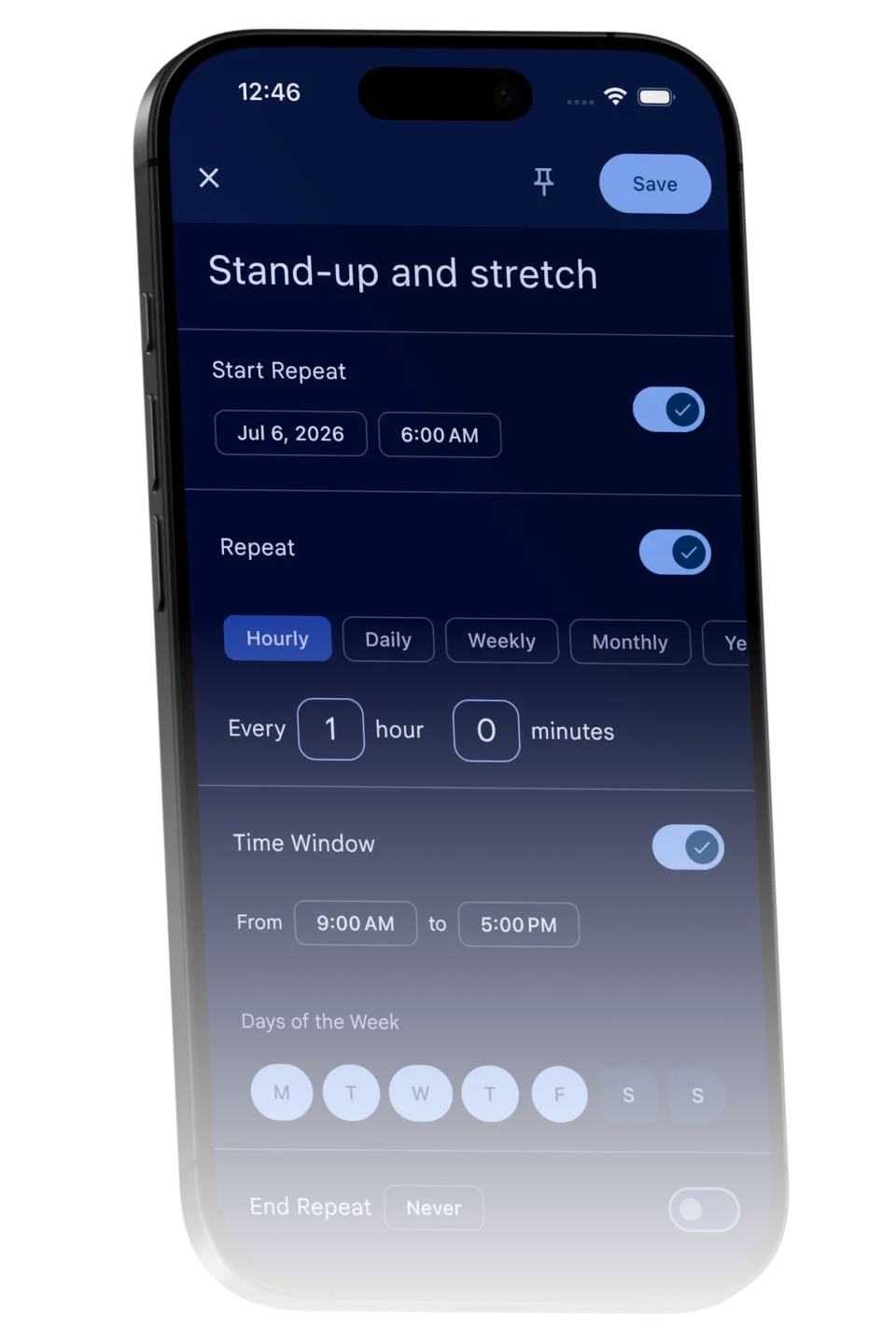
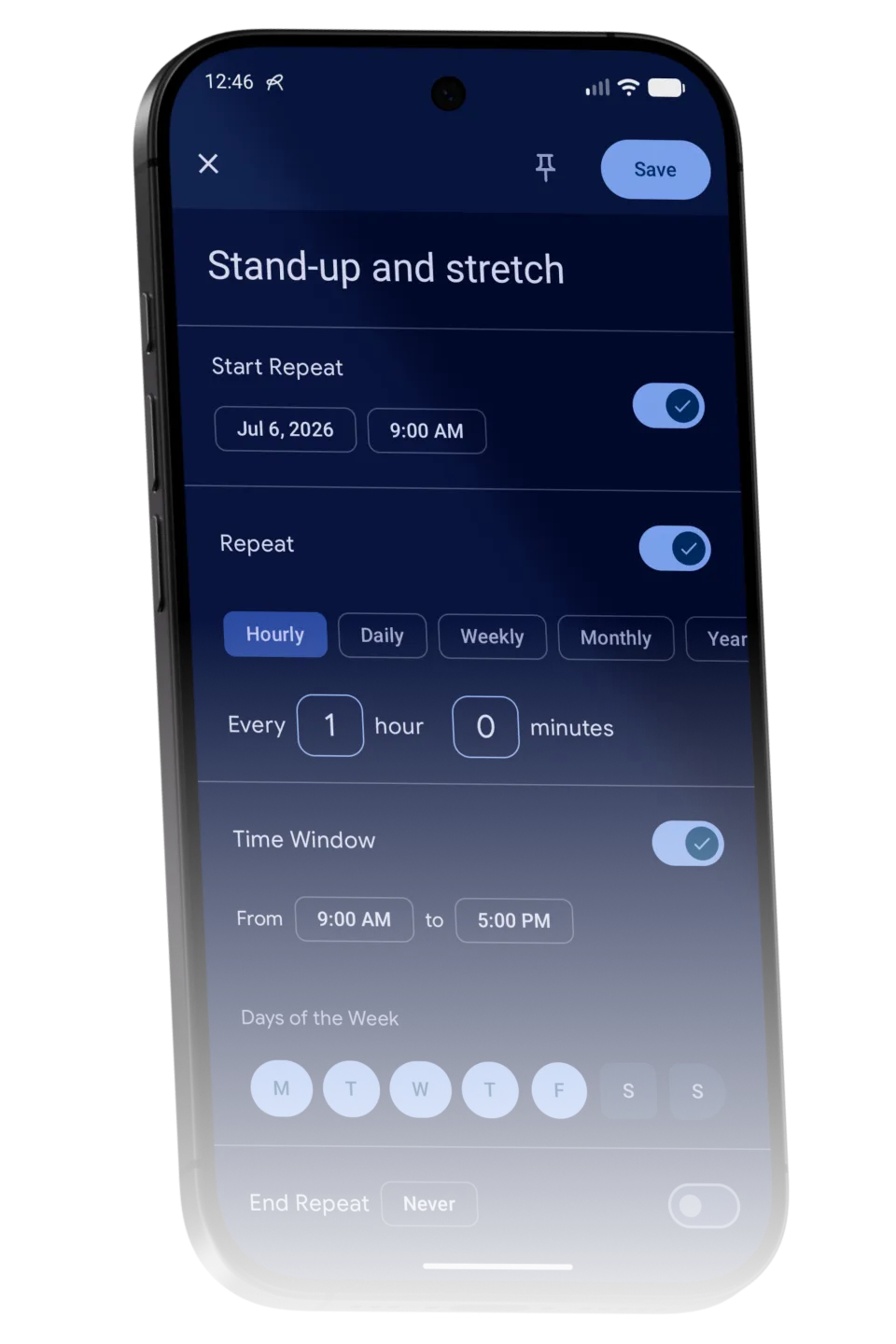
Recurring schedules
Hourly to yearly. Hourly repeats take a time window and specific days of the week.
Recaal+
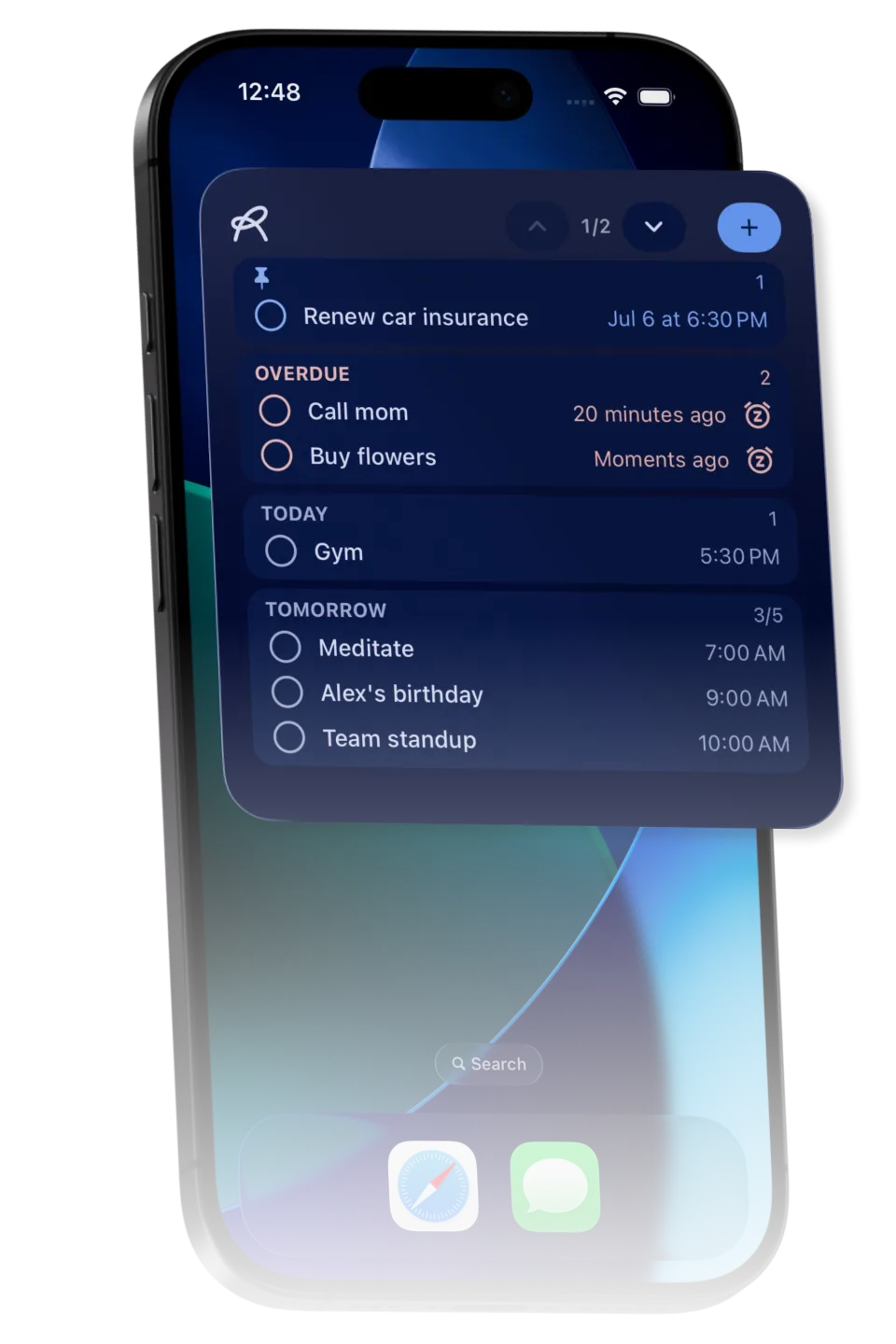
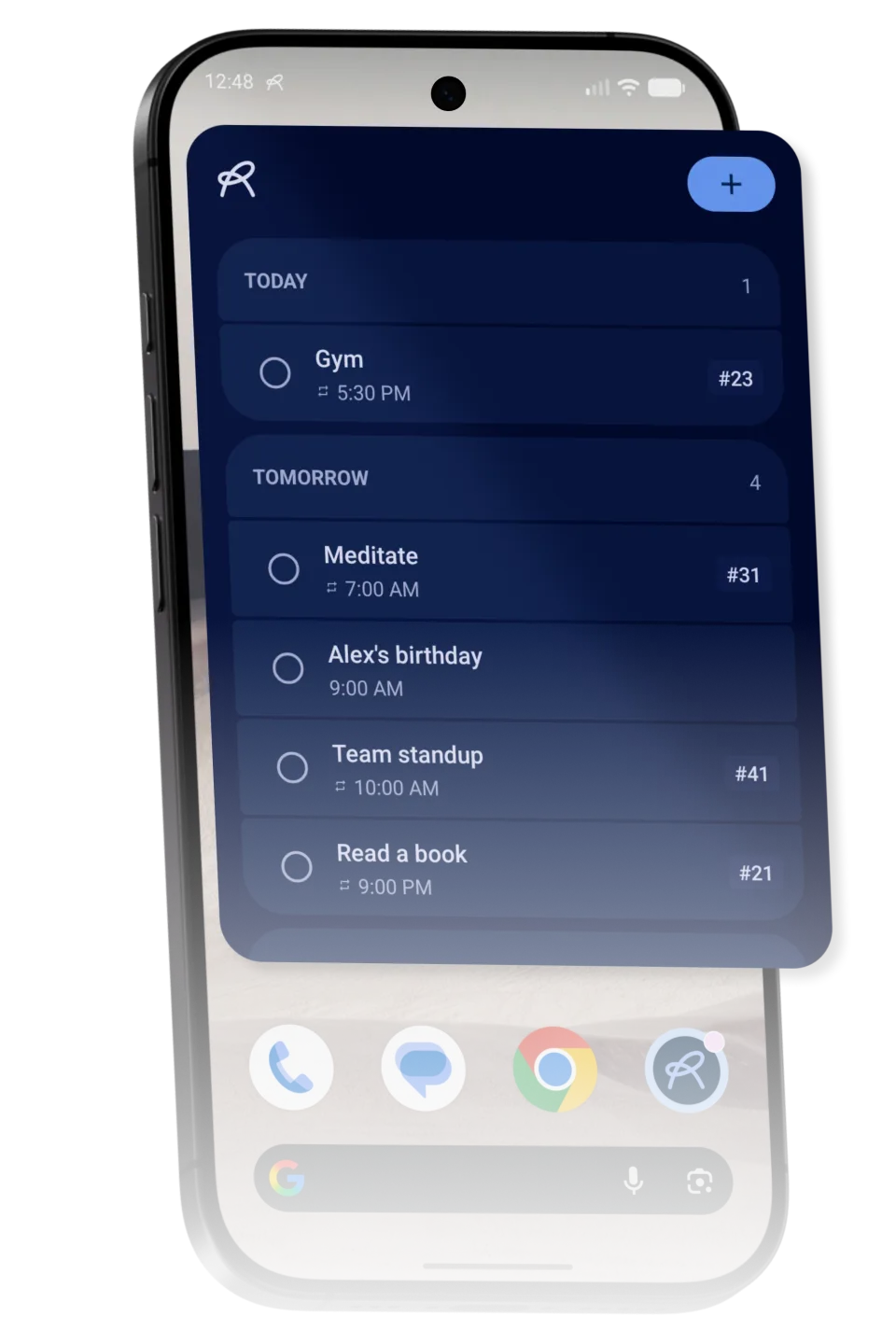
Widgets
Your reminders on the home screen, one glance away.
Quick add
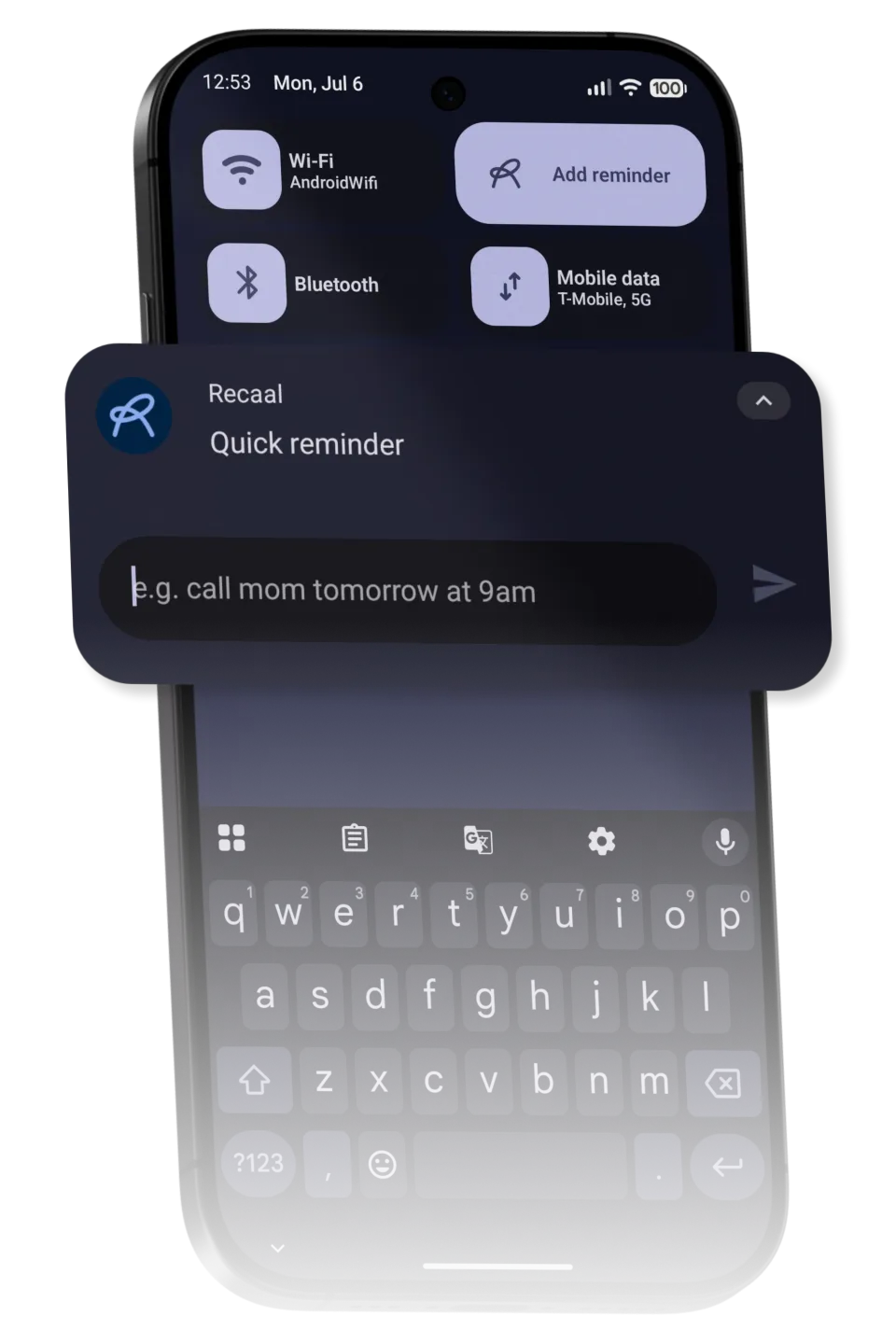
Type a new reminder straight from a notification. On Android.
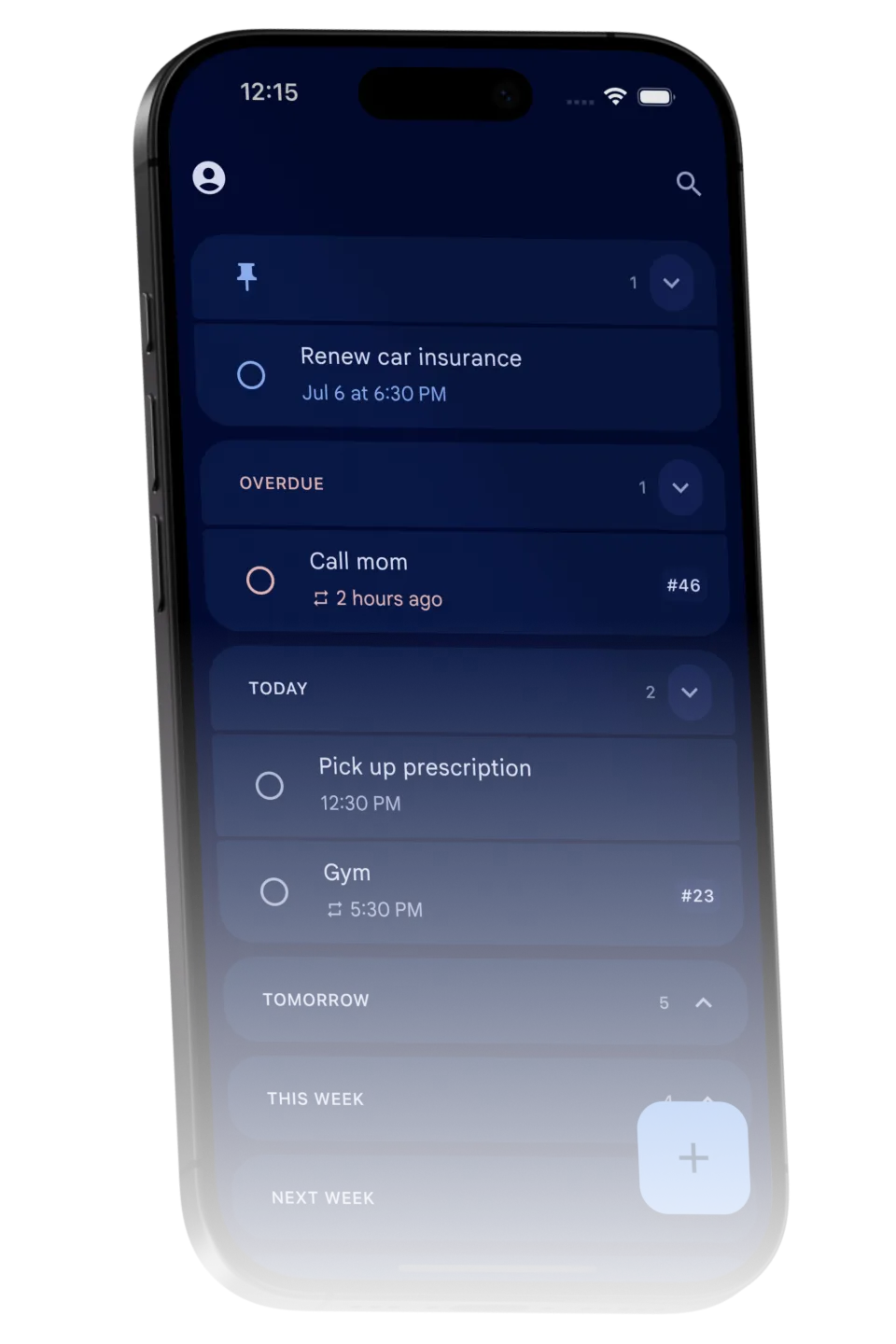
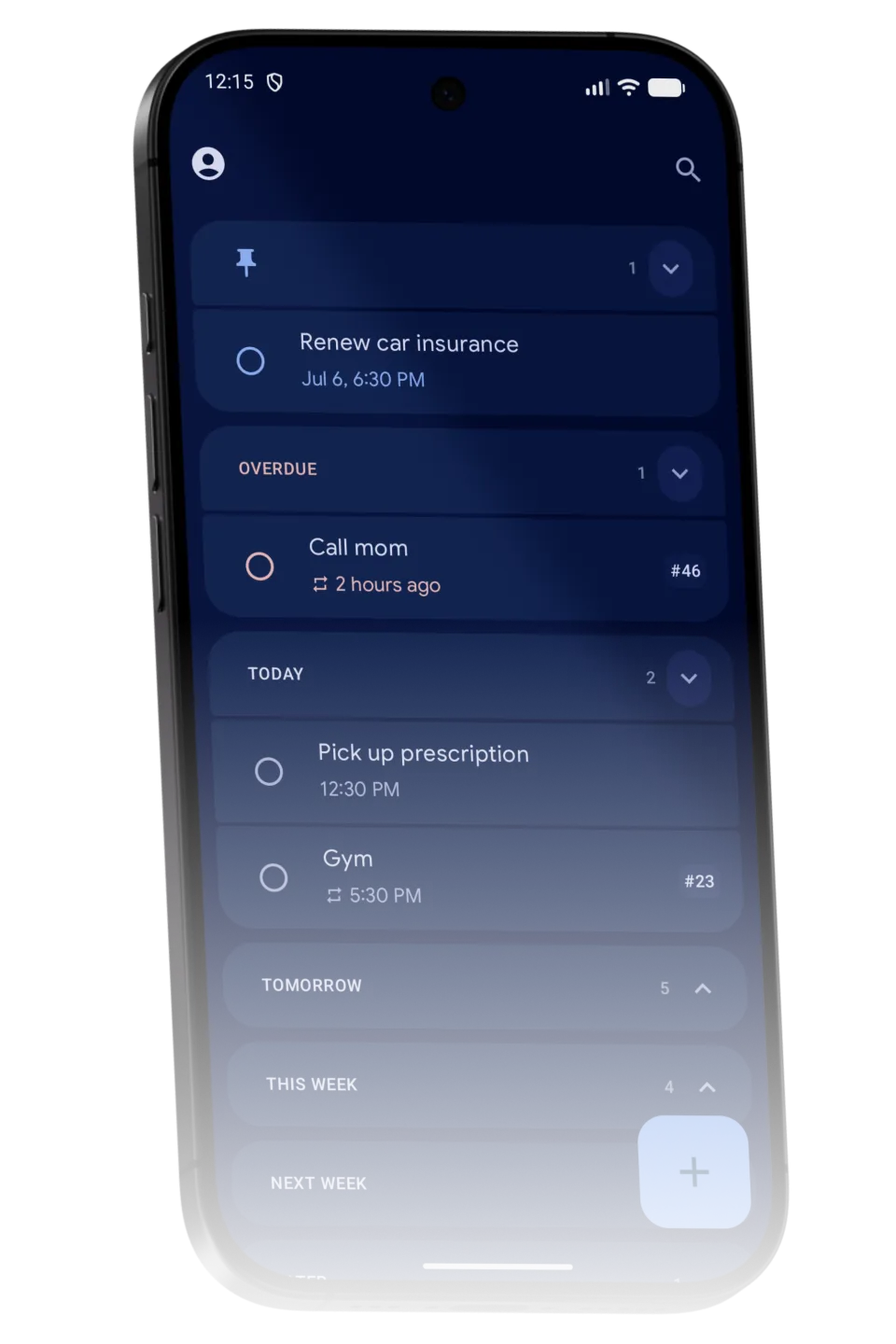
Sorted lists
Pinned
Overdue
Today
Tomorrow
This week
Next week
This month
Later
Completed
Occurrence counter
#46
Each recurring reminder counts its completions, for a light streak.
iPhoneAndroid
Recaal+
One list on iPhone and Android
Real-time sync between both platforms, for households and anyone who switches phones.
Questions before you install
What is Recaal?
Recaal is a free reminders app for iPhone and Android. You snooze reminders in plain words right from the notification and set recurring schedules from hourly to yearly. Recaal+ adds snoozing around your calendar and location, real-time sync between both platforms, cloud backup and widgets.
How does snoozing from the notification work?
When a reminder fires, you can reschedule it right from the notification using plain language. Type "2h", "tomorrow", or "Next Monday at 5" and Recaal understands. No need to open the app.
What are context-aware reminders?
With Recaal+, you can snooze a reminder until after your current calendar event, or until after you leave your current location. So the reminder comes back when you can act on it.
How flexible are the recurring reminders?
Very. Choose hourly, daily, weekly, monthly or yearly schedules, and for hourly repeats you can set a time window and specific days of the week. From an every-few-hours check-in to a once-a-year birthday, Recaal handles it.
What is the completed-occurrence counter?
Every recurring reminder shows a small counter of completed occurrences on the main screen. It gives you a light habit and streak feel without needing a separate habit tracker.
Does it sync between Android and iPhone?
Yes, with Recaal+. Your reminders sync in real time across Android and iPhone, so they stay up to date everywhere. It is ideal for households and anyone who uses both platforms or switches devices.
What makes Recaal different?
You snooze in plain language right from the notification, snooze around your calendar and location, and set recurring schedules down to specific hours and days. The interface stays minimal: one list, sorted by importance and time.
Is Recaal free?
Yes. Recaal is free on iPhone and Android, including natural-language snooze, recurring schedules and the occurrence counter. Recaal+, an in-app purchase through the App Store or Google Play, adds real-time sync between devices, cloud backup, calendar- and location-aware snooze, and widgets.
Do I need an account?
No. Recaal works without an account. You only sign in, with Apple or Google, if you want Recaal+ sync and cloud backup. Recaal never sees or stores a password.
Is my calendar and location data uploaded?
No. Calendar and location awareness are optional and run entirely on your device. Recaal does not collect, store or send your calendar events or location to its servers.
Does Recaal work offline?
Yes. Reminders still fire and you can add, edit and snooze them without a connection. Changes sync to your other devices once you are back online.